Image to Vector Converter: 6 Tools Compared (2026)
Picking an image to vector converter mostly comes down to three questions: what you will pay, whether your file gets uploaded, and what kind of image you are tracing. This guide compares six common options on those points. Prices and features come from each tool's own pages in October 2026, so check them before you buy.
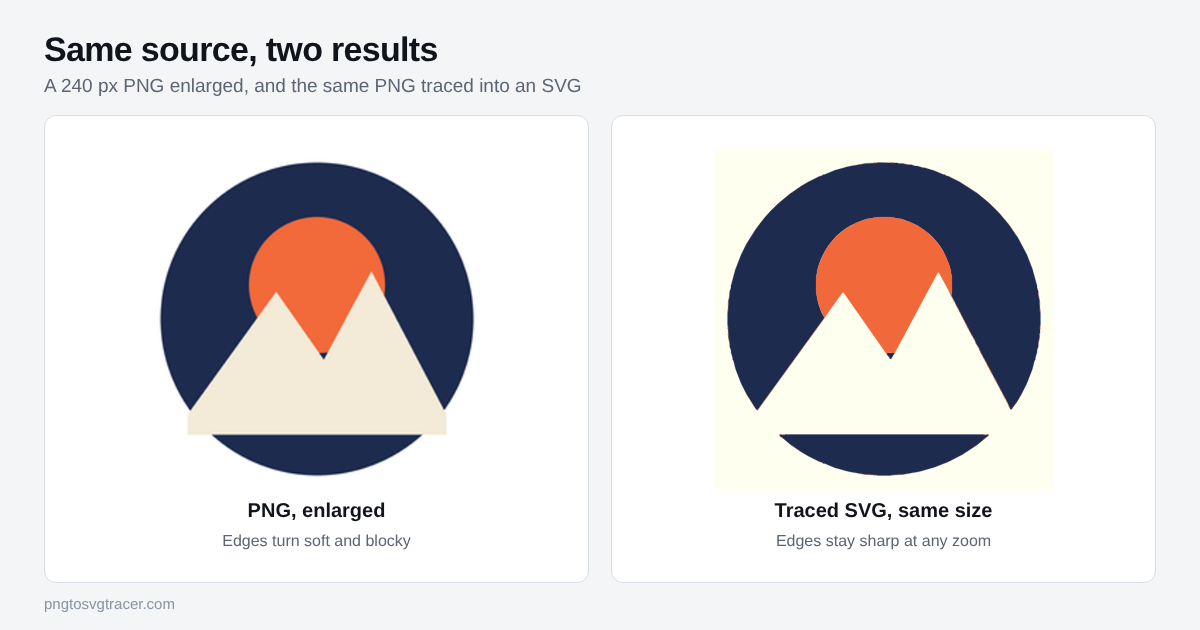
The short answer
- Flat logo, icon, signature or line art, and you want it free: use a browser tracer like this one. No account, no watermark, and the file stays on your device.
- Detailed or shaded artwork and a paid tool is fine: an AI-assisted vectorizer such as Vectorizer.ai usually gives the tidiest result.
- You already pay for Adobe: Illustrator's Image Trace is built in, with the most manual control.
- You want free desktop software: Inkscape's Trace Bitmap does the job and takes some learning.
The six tools side by side
| Tool | Price | Where your file goes | Best for |
|---|---|---|---|
| PNG to SVG Tracer (this site) | Free | Stays in your browser | Logos, icons, line art, cut files |
| VectoSolve | Watermarked preview, then $6.99 per file or from $7.99 a month | Uploaded | Buyers who also want AI upscaling and background removal |
| Vectorizer.ai | Unlimited previews, then $9.99 a month for the web app | Uploaded | Detailed and shaded images |
| Vector Magic | $9.95 a month online, or $295 for the desktop edition | Online edition is uploaded | Long-time users who want EPS and PDF output |
| Adobe Illustrator | From $22.99 a month | Stays on your computer | Designers who already use Illustrator |
| Inkscape | Free | Stays on your computer | Free desktop control, if you do not mind a learning curve |
How to choose
Price
The three online paid tools all let you preview before paying, and all charge before you can download. For one logo, a per-file price or a free tracer costs far less than a subscription. For daily use, a monthly plan can pay off. Illustrator is the most expensive, and only makes sense if you use the rest of it.
Privacy
Online vectorizers have to receive your image to process it. That matters for client artwork, unreleased products and anything under an NDA. Browser tracers and desktop apps keep the file on your machine.
Quality
AI-assisted tools tend to handle photos, soft shading and many close colors better, because they do more than follow color edges. Classic tracers do very well on flat artwork, which covers most logos, icons, stencils and cut files. Whatever you use, a clean, large source image matters more than the tool. If a trace comes out lumpy, see how to fix a jagged trace.
Output formats
SVG is what almost every tool exports. Some paid tools add EPS, PDF or DXF. If you need cut files for a laser or CNC machine, PNG to DXF and SVG to DXF cover that here for free.
Which one we would pick
Try your image in a free tracer first. If the preview matches your original, you are done and you paid nothing. If it does not, the image probably has the shading or detail that a paid AI tool is built for, and a month of Vectorizer.ai costs less than redoing the artwork by hand. Designers who live in Illustrator will keep using Image Trace.
See the full side-by-side pages for VectoSolve and Vectorizer.ai, and read what vectorization is if you want the basics first.
TagsComparisonToolsTracing
Related tools
- SVG tracerTrace a bitmap into SVG paths with control over colors and smoothing.
- VectoSolve alternativeHow this free tracer compares with VectoSolve on price, watermarks, privacy and tools.
- Vectorizer.ai alternativeHow this free tracer compares with Vectorizer.ai on price, quality and privacy.
- PNG to SVGTurn a PNG, JPG or WebP into an SVG you can scale to any size.
Keep reading
- TutorialsHow to Vectorize an Image in 5 Steps (Free, No Software)A step-by-step way to vectorize a PNG or JPG into a clean SVG in your browser, with the settings that matter and the mistakes that ruin a trace.October 12, 2026 · 2 min read
- ComparisonsPNG vs SVG: When to Use Each (and When to Convert)PNG and SVG solve different problems. See when each one is the right choice for logos, icons, websites, printing and cutting machines.October 12, 2026 · 2 min read
- GuidesWhy Printers and Sign Shops Ask for a Vector LogoScreen printers, embroiderers and sign makers ask for vector logos. Learn why, which formats they accept, and how to get one from a PNG or JPG.October 12, 2026 · 2 min read