Handwritten Notes and Recipes as SVG for Engraving and Mugs
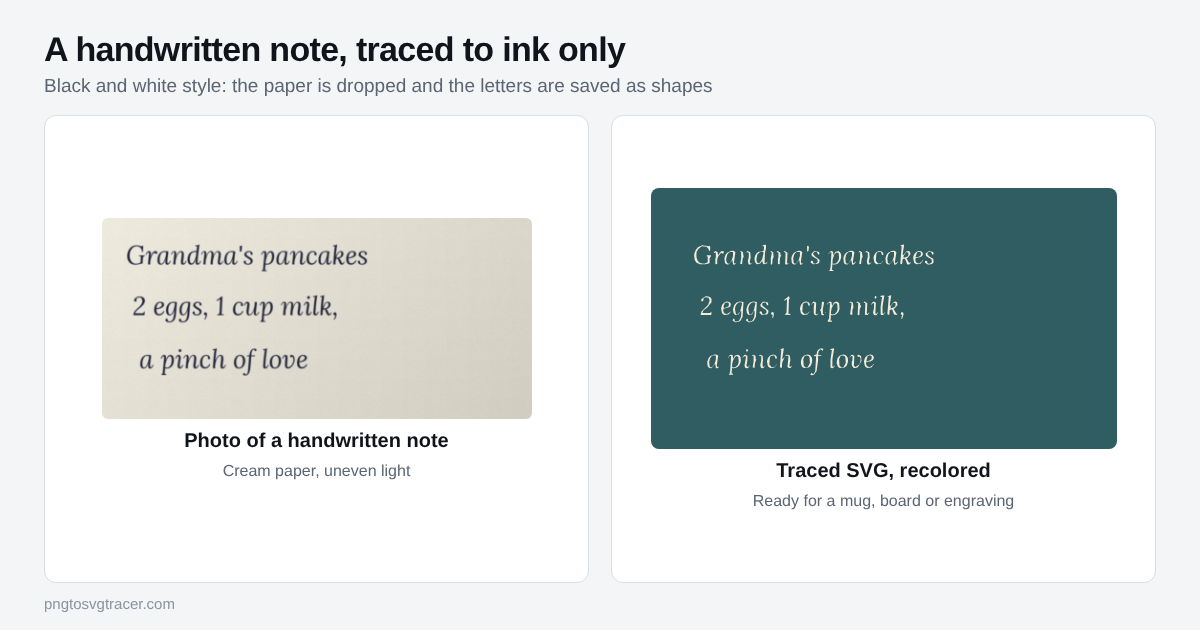
A recipe in a grandparent's handwriting is worth more than any font. Put it on a cutting board, a mug or a piece of jewelry and it keeps their exact letters. To do that you need the writing as an SVG, made of ink shapes with no paper behind them.
Capture the writing well
The trace follows whatever the picture shows, so the photo matters more than any setting.
- Lay the note flat. A folded or curled card makes the lines bend.
- Take the photo straight from above, with the phone parallel to the paper.
- Use even light from a window. Keep your own shadow off the page.
- Crop close to the writing, with a small margin.
If the original is old and faded, expect to do a bit more work in the next step. If it is a lined notebook page or a card with a printed border, read the section on lines below before you start.
Trace it
- Open the handwriting to SVG page and drop your image in.
- Keep the style on Black and white shapes. Only the dark parts are saved, so the paper becomes empty space.
- Move the Threshold slider until the letters look solid in the preview and the paper texture is gone.
- Raise Remove small specks if dust or stains left dots.
- Download the SVG.
The free trace runs in your browser, so the photo stays on your device.
Faint pencil and old ink
Pencil and faded ink are light gray, not black. A low threshold skips them. Raise the threshold until the thin strokes appear, then raise Remove small specks a little to clear the paper grain that comes with it. If the page is yellowed unevenly, one side may fill with blotches before the other side shows any writing. Retake the photo in better light instead of pushing the slider further.
Lined paper, stains and cards with borders
The tracer reads shapes, not words. It cannot tell a ruled line from a letter, so every dark line on the page turns into a shape.
- Ruled lines. If they are light, a lower threshold can drop them while the pen strokes stay. If they are dark, copy the text onto plain paper, or erase the lines in a photo editor before tracing.
- Stains and creases. Crop around them when you can. Otherwise clean them up in an image editor first.
- Printed borders and decorations. Crop them out. They will trace along with the writing.
Using the SVG
Mugs and printed gifts. Send the SVG to the print shop or place it in your design tool. Because the whole piece is one color, you can recolor it with one click.
Cutting boards, wood and metal. For laser engraving, solid letters work well. File prep and format choices are covered in SVG for laser engraving. If your laser software wants a DXF, convert the SVG afterward.
Decals and stickers. Handwriting cuts well in vinyl when the letters are thick enough. Thin pen lines make fragile cut shapes, so trace a bolder pen if you can. The SVG for Cricut page covers importing the file.
Jewelry. Small pieces need bold writing. Hairline strokes can disappear at a few centimeters wide, so check the preview at the real size before you order.
Mistakes that cost you time
Expecting the text to be editable. The result is a picture of the writing. You cannot retype it or fix a word. If a letter is missing, retake the photo.
Tracing a tiny photo. A small, blurry image gives lumpy letters. Use the original at a higher resolution.
Pen too fine. Thin lines have few pixels to trace. Go over a faint original with a dark pen on a copy, or trace a thicker version.
Skipping a test. Engrave or print a test on scrap first. What looks fine on screen can be too thin on wood.
Check it before you send it
The preview on a white page hides problems. Place the SVG over a colored shape and look for a box, stray dots and gaps in the strokes. The same check is described in how to turn a signature into an SVG, and handwriting has the same needs: solid strokes, no paper, no specks.
A note on rights
If you are using someone else's handwriting on something you sell, get their permission first. For family keepsakes, ask the person or their family. It takes a minute and avoids a bad surprise.
TagsSVGTracingHandwritingLaser
Related tools
Keep reading
- TutorialsHow to Turn a Signature into an SVG for Documents and StampsScan or photograph your signature, trace it into an SVG with no background, and use it on documents, stamps and engraving. Settings, fixes and what to avoid.October 16, 2026 · 4 min read
- Maker workflowsSVG for Laser Engraving: Prepare Files from a PNG or JPGHow to turn an image into an SVG or DXF for laser engraving and cutting, which format your software wants, and how to avoid size and line problems.October 17, 2026 · 2 min read