SVG vs DXF: Which File Your Laser or CNC Wants
Both files can hold the same shape, but they are built for different jobs. Here is how to tell which one your machine and software want, and how to make either from an image.
What each file holds
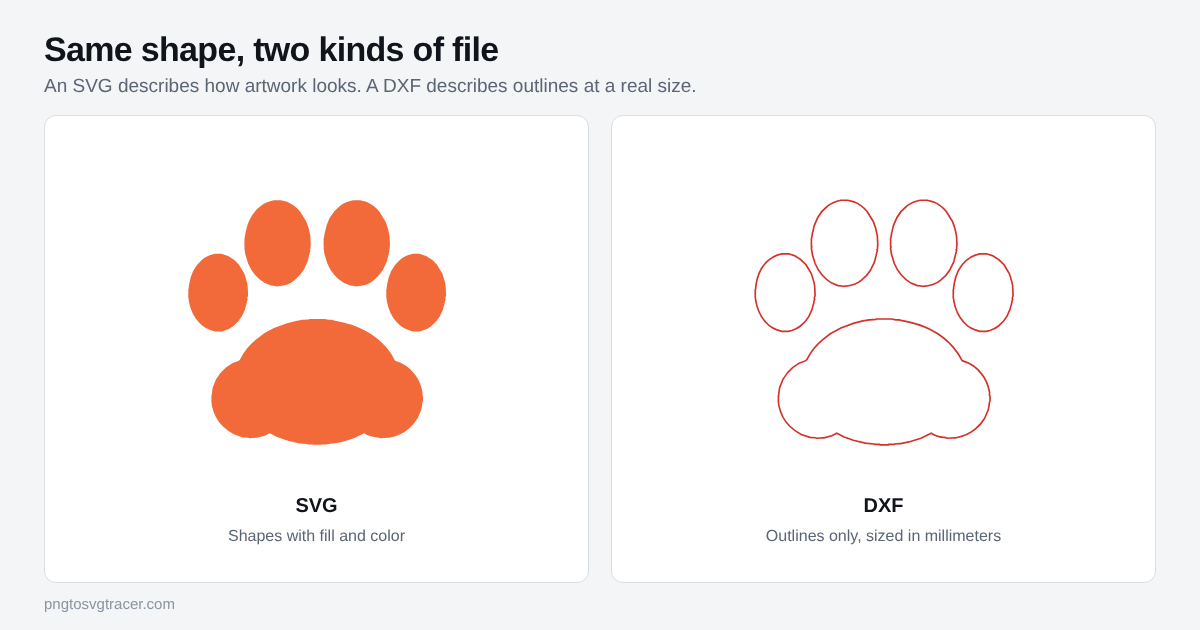
An SVG describes how a picture looks. It stores shapes along with fill colors, stroke widths and other styling, and a browser or design program draws it. Size is often loose, because an SVG is meant to scale.
A DXF comes from CAD. It stores geometry: lines, polylines and outlines at a real size. There is no fill or color story. This tool writes a plain-text R12 DXF in millimeters, an older version that CAD, CAM and laser software commonly read.
| SVG | DXF | |
|---|---|---|
| Main job | Artwork and design | Outlines for CAD and cutting |
| Color and fill | Stored | Not stored |
| Real-world size | Depends on the file | Set in the file, in mm here |
| Curves | True curves | Short straight segments |
| Opens in | Browsers, design tools, many laser programs | CAD, CAM, laser and CNC software |
Which one to use
Start with what your software accepts. Many laser programs, LightBurn among them, read both. If yours does, SVG is fine for artwork and engraving.
Pick DXF when:
- Your CAD or CNC software asks for it, or a cutting service asked for it.
- The part has to be an exact size, such as 100 mm wide.
- An SVG imports at the wrong scale or with odd results, and you want a plain outline instead.
Pick SVG when you want to keep editing the artwork in a design tool, or your cutter software, such as Cricut Design Space, takes SVG directly.
Get a DXF from a PNG or JPG
- Open PNG to DXF and add a bold image with solid shapes.
- Enter the width you want in millimeters. This is the width of the artwork itself, and the height follows.
- Adjust the threshold until the red cut lines follow the edges you want.
- Raise Remove small specks so stray dots do not become cut paths.
- Download the DXF and measure something in your software before cutting.
Get a DXF from an SVG you already have
Use SVG to DXF. You can keep the file's own size or scale it to a width in millimeters. If you need to be sure of the size, scale to a width.
Two things to know. Text is not converted, so turn text into outlines in your design software first and export the SVG again. Fill colors, stroke widths and gradients are ignored, and everything lands on one layer called TRACE. The tool tells you when it skips something.
Check before you cut
- Units. Some programs assume inches when a DXF has no unit information. A 100 mm part would then come out about 25 times too large. If that happens, set the import units to millimeters.
- Closed shapes. A cut needs closed outlines. Look at the preview for gaps.
- Thin parts. A feature narrower than your cutter or laser kerf will not survive. Test on scrap.
- Curves. A DXF stores curves as short straight segments. They look smooth at normal sizes, but zoom far in and you may see the flat pieces.
Engraving or cutting
Engraving fills areas, so an SVG with solid shapes often works as is. Cutting follows outlines, so closed paths matter more, and a DXF at a known size makes setup easier. The full workflow, including test cuts, is in SVG for laser engraving.
If you are not sure what is inside an SVG in the first place, what is an SVG file covers the basics.
Related tools
Keep reading
- Maker workflowsSVG for Laser Engraving: Prepare Files from a PNG or JPGHow to turn an image into an SVG or DXF for laser engraving and cutting, which format your software wants, and how to avoid size and line problems.October 17, 2026 · 2 min read
- GuidesWhat Is an SVG File? Format, Uses and How to Open OneSVG is a vector image format used on websites, in design tools and by cutting machines. Learn what is inside one, how to open it, and when to use it.October 18, 2026 · 2 min read
- TutorialsHandwritten Notes and Recipes as SVG for Engraving and MugsTurn a handwritten recipe, note or letter into an SVG for engraving, mugs and cutting boards. How to capture it, trace it and fix the common problems.October 17, 2026 · 4 min read