Sublimation vs DTF vs Screen Print: Artwork Rules for Each
You have one logo and three ways to put it on a shirt or a mug. Sublimation, DTF and screen printing all start from artwork, but each one wants that artwork prepared differently. Send the wrong kind and you can end up with a soft edge or a white box.
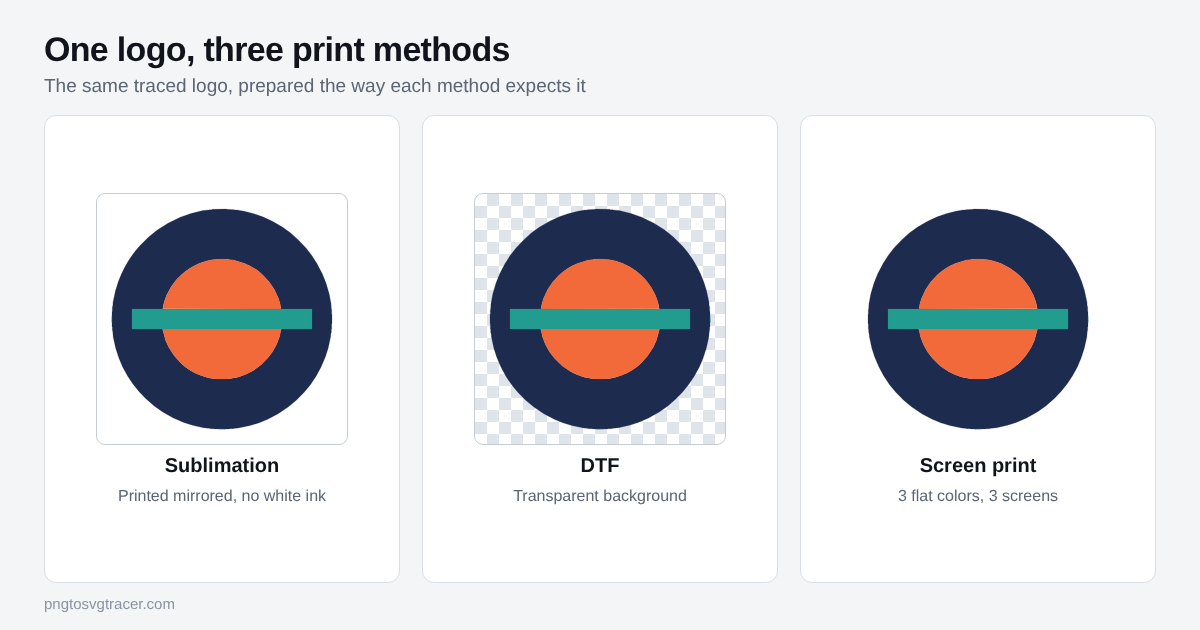
Every shop has its own file rules, so treat this as a starting point.
The short version
| Sublimation | DTF | Screen print | |
|---|---|---|---|
| Artwork type | Raster or vector | Raster or vector | Vector, or very clean raster |
| Colors | Full color, gradients fine | Full color, gradients fine | Flat colors, one screen each |
| Background | White is not printed | Transparent | Transparent, no extra ink |
| Mirror the image | Yes, usually | Usually handled by the shop | No |
| Best surface | Light polyester or coated items | Many fabrics | Many fabrics |
Sublimation
Sublimation uses heat to turn dye into a gas that bonds with polyester or a special coating. The design prints on paper first, then transfers. Two things matter for your file.
White is not an ink. Wherever your artwork is white, nothing is printed and the item shows through. That works on a white mug. On a gray or colored shirt, the "white" parts will look like the shirt.
Most workflows print the design mirrored so it reads correctly after the transfer. Your shop or print software normally does that, but ask before you flip anything yourself.
Gradients and photos are fine here, so a high resolution PNG is often all you need. Tracing is optional. It helps if your logo is small and you want sharp edges at a larger size.
DTF
DTF stands for direct to film. The design prints onto a film with color ink plus a layer of white, gets powder, and is heat pressed onto the garment. Because the white layer is printed under the colors, the result can sit on a dark shirt and stay bright.
The file rule that matters most is the background. A PNG with a solid white box around the logo can print as a white box. Use a transparent background. If your PNG has a white square, see how to make a transparent background SVG from a PNG.
Like sublimation, DTF handles gradients and soft shading. Ask the shop for the resolution they want at the final print size. A number like 300 dpi is common, but it varies.
Screen printing
Screen printing pushes one ink through one stencil at a time. Every color in the artwork is a separate screen, which means more colors cost more, and gradients do not work without halftone dots.
This is the method where a clean vector helps most. Each color needs to be one flat shape with a hard edge. The step by step prep is in screen printing separations: prepare artwork from a PNG.
When tracing your PNG helps
Tracing turns a PNG into an SVG of flat colored shapes. That fits the logo in the picture above, and it fits screen printing best. It also gives sublimation and DTF shops a crisp, scalable file if your logo is flat color and the original is small.
It does not fit every design. This tracer does not make gradients, and photos come out posterized. If your art has a soft gradient or a photo and you are using sublimation or DTF, keep the original high resolution PNG and send that instead. Tracing it would flatten the look you wanted.
Steps for a flat color logo
- Open the logo to SVG converter and drop in the biggest, cleanest copy you have.
- Set Style to Logo or icon.
- Set Colors to the number of solid colors in the logo. White background does not count.
- Leave Make white background transparent ticked.
- Compare the preview with the original at a high zoom. Check thin lines and small text.
- Download the SVG. If the shop also asks for a PNG, send your original PNG alongside it.
The SVG keeps each color as its own shape, so the same file works for all three methods when the logo is flat color. For the bigger picture of why shops ask for vectors, read why printers and sign shops ask for a vector logo.
Questions to ask your shop
- Which file types do you accept? This site exports SVG, not AI, EPS or PDF.
- Do you want the artwork mirrored, or will you do it?
- What resolution do you need at the final print size?
- For screen print, how many colors is the job priced on?
Related tools
Keep reading
- GuidesScreen Printing Separations: Prepare Artwork from a PNGGet a PNG logo ready for screen printing. Trace it to one clean shape per ink color, split it into layers, and know what your printer still has to do.October 23, 2026 · 4 min read
- GuidesWhy Printers and Sign Shops Ask for a Vector LogoScreen printers, embroiderers and sign makers ask for vector logos. Learn why, which formats they accept, and how to get one from a PNG or JPG.November 3, 2026 · 2 min read