How to Trace a Pencil Sketch into an SVG
A pencil sketch is a hard thing to trace. The lines are light gray, the paper is not white, and the graphite wobbles. The good news is that a sketch is already one color, so a black and white trace can work well if the photo is right.
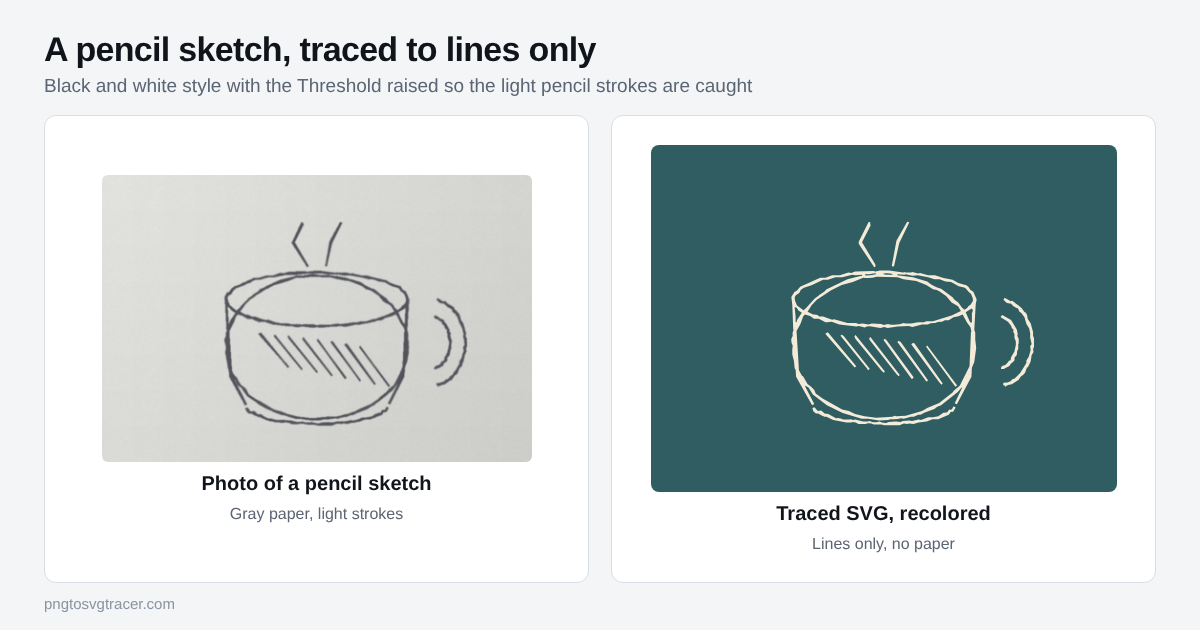
Start with the drawing, not the slider
Most bad sketch traces come from the page, not the settings.
- Go over the lines you want to keep. A soft pencil can look dark on paper and still photograph pale. A second pass on the final lines helps a lot.
- Erase the leftovers. Construction lines and rough guides are real pencil marks to the tracer. If they stay, they trace.
- Use plain paper. Printer paper or a sketchbook page with no printed grid.
Photograph it flat and even
- Lay the page on a table near a window.
- Hold the phone straight above the page, not at an angle.
- Keep your own shadow off the paper.
- Crop to the drawing with a small margin.
If you have a flatbed scanner, use it instead. A scan has no angle and no shadow, and this guide to scanning a drawing for tracing lists the settings to use.
Even light matters more than a high pixel count. A dark corner will fill with blotches before the pencil lines in the light part have shown up.
Trace it
- Open the image tracer and drop in your photo.
- Set the style to Black and white shapes.
- Raise the Threshold. Pencil is lighter than ink, so the default of 128 often finds nothing. Try 150 to 180 and watch the preview.
- Stop when the thin lines are complete but the paper texture has not started to show.
- Raise Remove small specks a few steps to clear dots from grain and dust.
- Download the SVG.
If your sketch is light on a dark page, such as chalk or a white gel pen on black paper, tick the option to trace light shapes on a dark background.
What you get is outlines of lines
The tracer does not follow the middle of each pencil stroke. It traces the edge of every dark shape, so a pencil line becomes a thin filled shape. That is fine for most uses, but it matters in two cases.
Cutting. A thin filled line is a fragile cut shape. For vinyl or paper, trace a bolder drawing, or thicken the lines before tracing. The SVG for Cricut page covers importing the file.
Pen plotters and engraving that follow a single line. These want one centerline per stroke. A filled shape gives them two edges. Check what your machine expects before you commit to a trace.
Fixing common problems
Broken or dotted lines. The threshold is too low for the lightest strokes. Raise it a little, or go over those lines with a darker pencil and retake the photo.
Gray paper turning into black blobs. The threshold is too high, or the light is uneven. Lower it, or retake the photo in softer light.
Smudges and fingerprints. Graphite smears. Erase them on the paper if you can. Otherwise raise Remove small specks, or crop around them.
Lumpy, shaky lines. Hand-drawn lines are shaky. Raise Smoothing for cleaner curves. If the result looks jagged, this fix for jagged traces explains what to adjust.
Hatching that turns into a gray mess. Dense shading lines close together can merge into one dark patch. Use fewer, more spaced lines, or keep the shading out of the trace.
Check it before you use it
A white preview hides problems. Place the SVG over a colored shape and look for a box behind the lines, stray dots and gaps. Then zoom in on the thinnest lines. If they vanish at the size you will print or cut, trace a bolder version.
Using the SVG
Because a trace is one color, you can recolor it in one click in Canva, Figma or Illustrator. Sketches work well as logo drafts, greeting cards and wall art. If the drawing is tattoo line art, this guide to tracing tattoo flash covers line weight and shading. The same capture rules apply to writing, which is covered in handwritten notes as SVG. If you want a stencil from a photo instead of a sketch, see how to turn a photo into a stencil.
Mistakes that cost you time
Tracing a tiny photo. A small, blurry image gives lumpy lines. Use the original photo, not a screenshot of it.
Expecting shading. A black and white trace has no gray. Shading becomes solid shapes or disappears. If you want tones, the Illustration style keeps a few colors, but graphite shading will still look flat.
Skipping a test. Cut or print a small test before the final piece.
If you make a sketch with someone else's art as the starting point, check that you have the right to use it first.
TagsSVGTracingHandwritingCricut
Related tools
Keep reading
- TutorialsHandwritten Notes and Recipes as SVG for Engraving and MugsTurn a handwritten recipe, note or letter into an SVG for engraving, mugs and cutting boards. How to capture it, trace it and fix the common problems.November 1, 2026 · 4 min read
- TroubleshootingWhy Your SVG Trace Looks Jagged or Lumpy, and How to Fix ItWobbly curves, broken thin lines and noisy edges all have a cause. Here is what to change in a trace, setting by setting, to get a clean SVG.November 5, 2026 · 3 min read